Get the junk out of your photo library.
Leanroll finds duplicates, screenshots, receipts and big videos. You decide what goes.
One email at launch. Unsubscribe any time.
Why I made Leanroll
I've had an iPhone since 2010. My library grew to 40,000 photos and videos and 300 GB: duplicates, huge files, screenshots and tons of accidental Live Photos.
I always wanted an app that actually cleans this up and makes it quick, even a bit fun. So I built one.
Do a few sets a day. Leanroll keeps a streak and works through your library month by month.
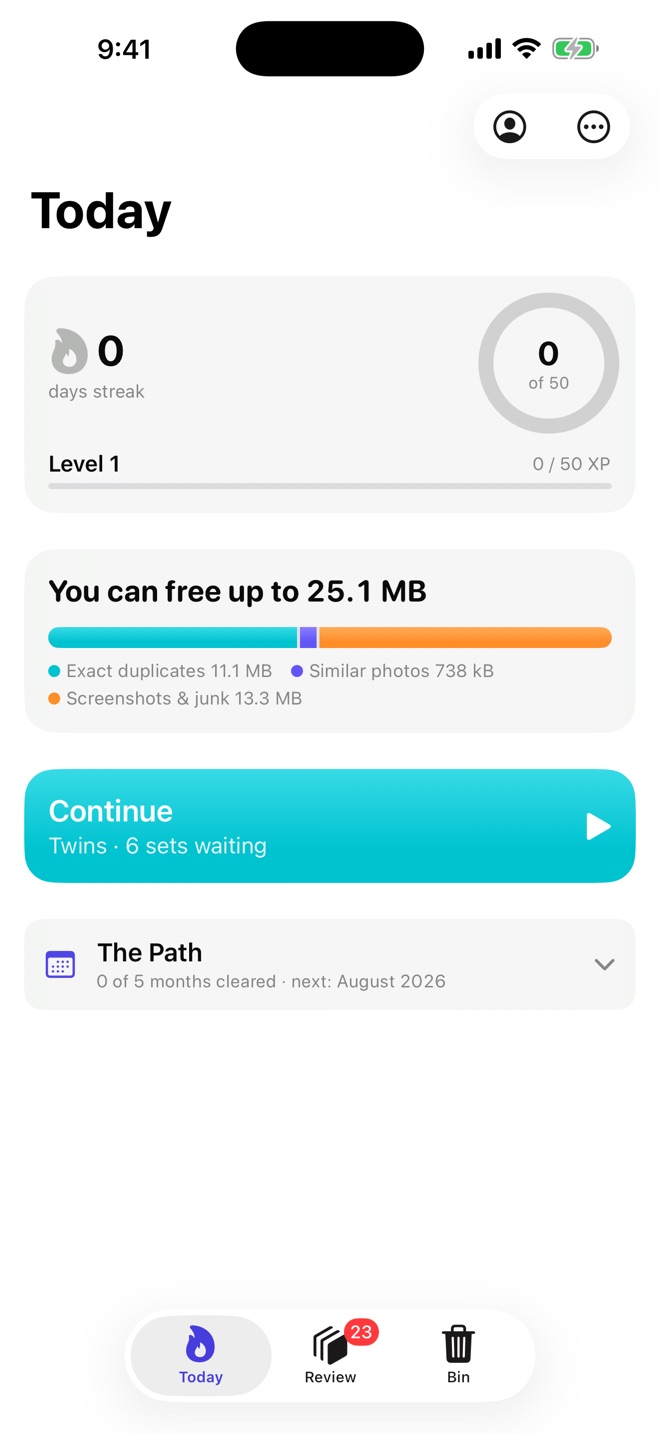
What it cleans up
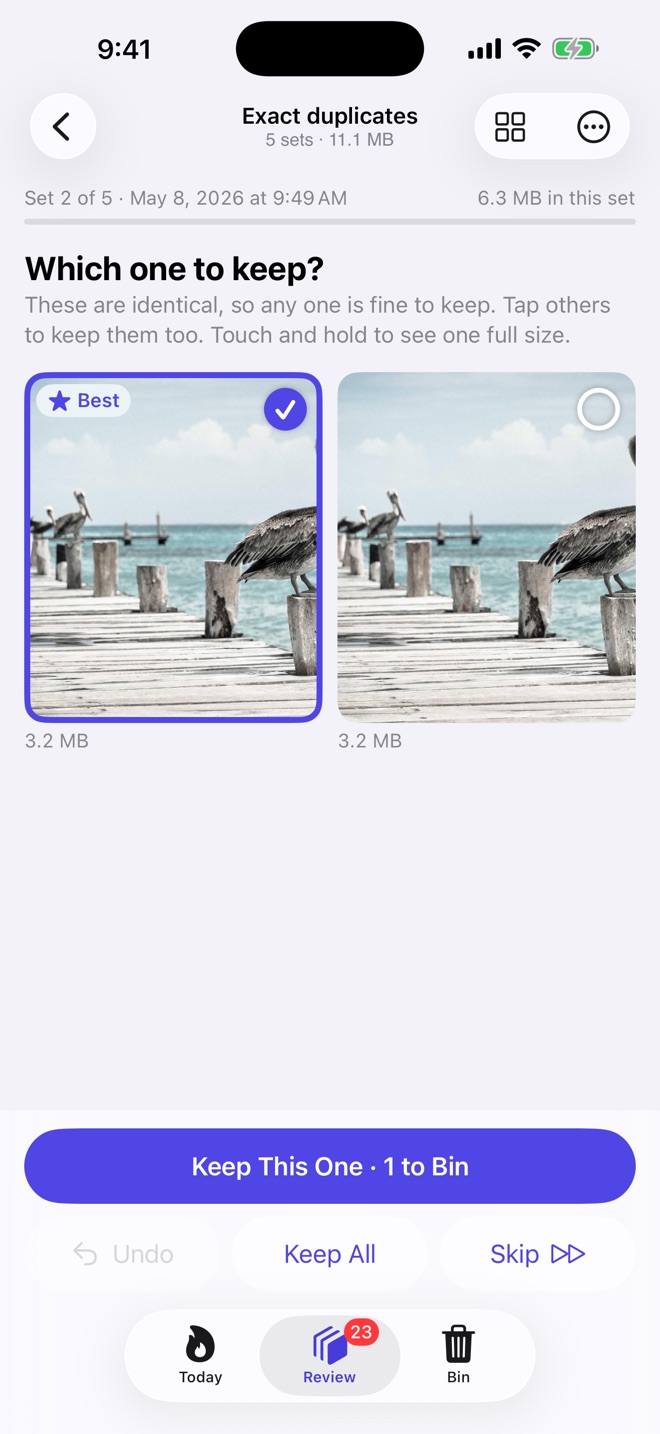
Photos you needed once
Eight shots of the same view, the gas meter, a parking spot, old receipts. Leanroll groups them, marks the best one to keep and says why.
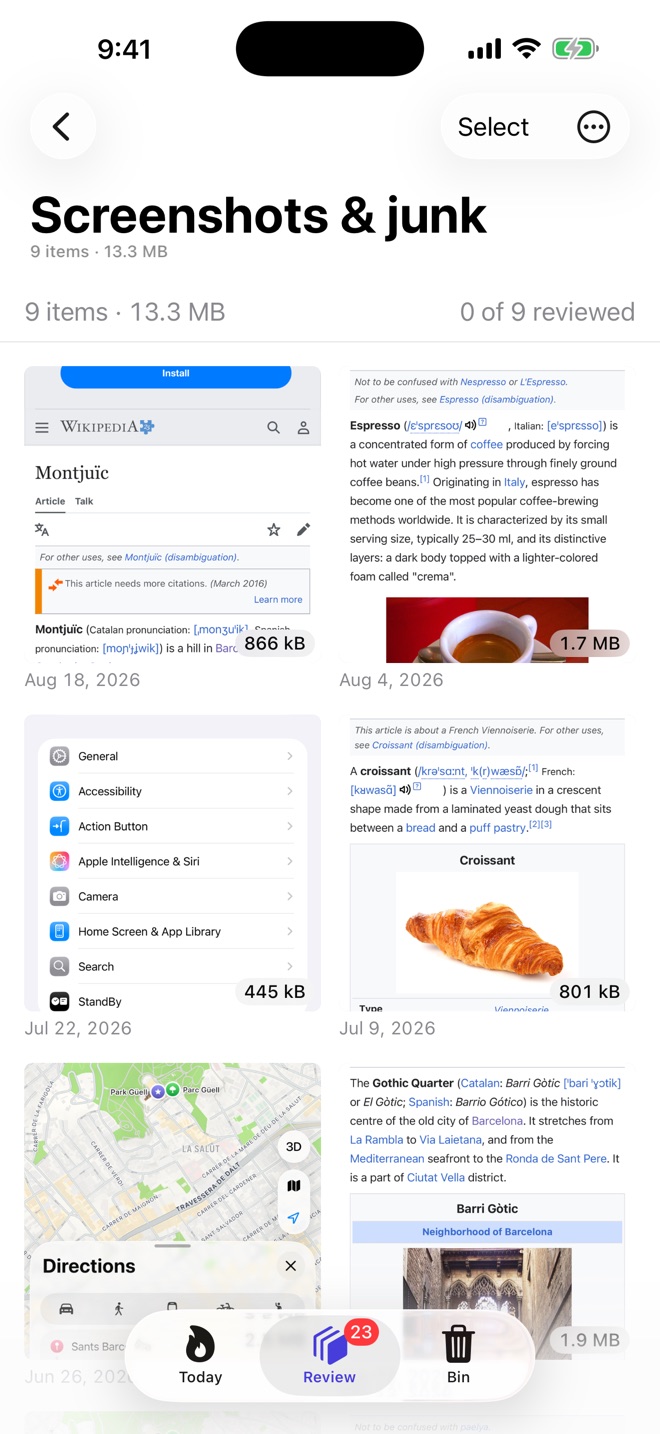
Screenshots you'll never find again
Leanroll reads their text on your device so you can search it, and keeps it as a note after you delete the image.
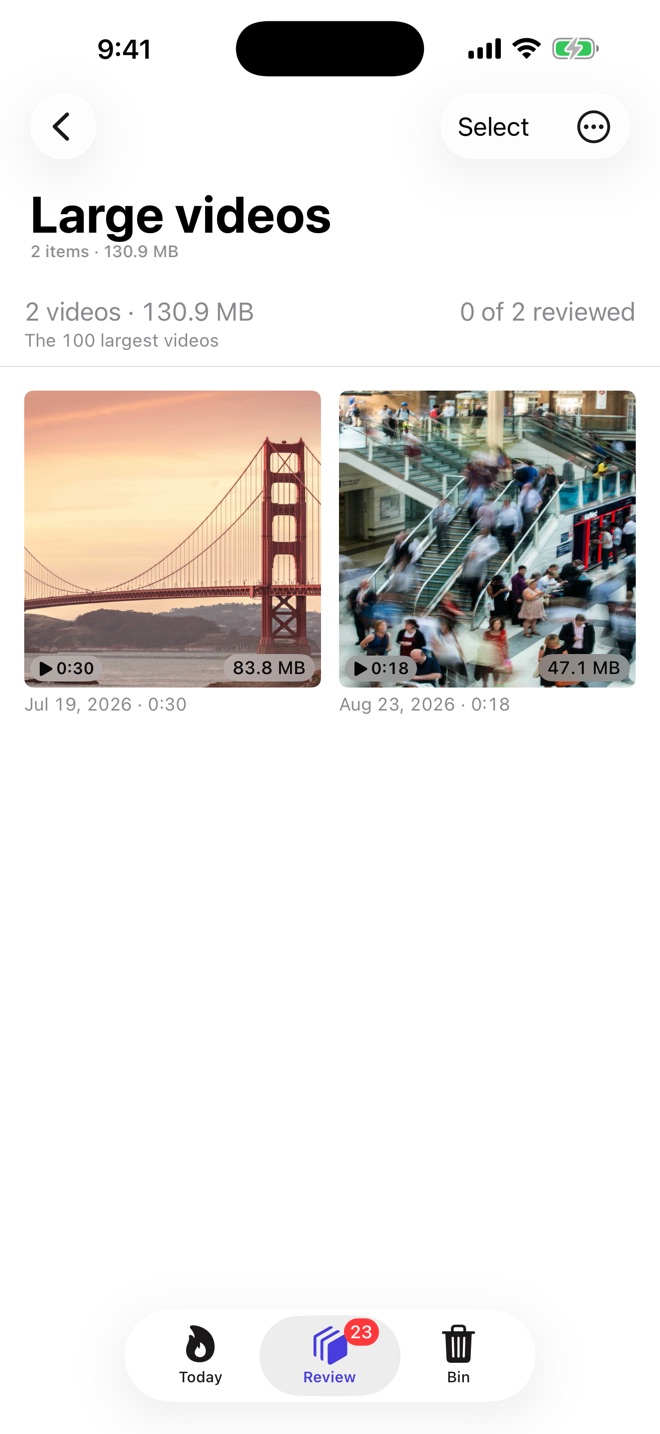
Storage that keeps running out
The next storage size on a new iPhone costs $200 more. Leanroll finds your biggest videos, shrinks oversized photos and removes Live Photo motion you never play.
Memories made of near-duplicates
Photos builds Memories from your whole library, repeats and receipts included. Less junk in the library means less in your Memories.
Deleting and privacy
Nothing is deleted until you confirm
Marked items wait in Leanroll's Bin, then 30 more days in Photos' Recently Deleted. You can undo anything.
Your library stays on your devices
Scanning runs on your device. No account, no ads, no analytics. Cloud AI is off until you turn it on. Privacy policy
Pricing
No weekly plan. One purchase covers iPhone, iPad and Mac. Scanning is free.
Cancel any time.
About $3.33 a month.
Free without a plan: unlimited scanning, every exact-duplicate merge, and a daily removal allowance.
Questions
Does Leanroll ever delete anything on its own?
No. Nothing is deleted until you confirm.
iOS already has a Duplicates album. Why use this?
Apple's album finds exact copies only. Leanroll also finds similar shots, screenshots, receipts, big videos and Live Photo motion, and works on your Mac.
Does it work with iCloud Photos?
Yes. What you remove is removed on all your devices.
Do I pay separately for iPhone and Mac?
No. One subscription or lifetime purchase covers iPhone, iPad and Mac.
Leanroll is coming to the App Store.
Get one email when it's out.
Join the list